
AI Chat
TaxFigure's primary interface — ask tax questions and get answers grounded in your entity context.
The chat is the heart of TaxFigure. You can ask any tax question — from a quick definition to a multi-step research request — and TaxFigure responds with answers grounded in current tax code and (when you provide one) your client's specific entity context.
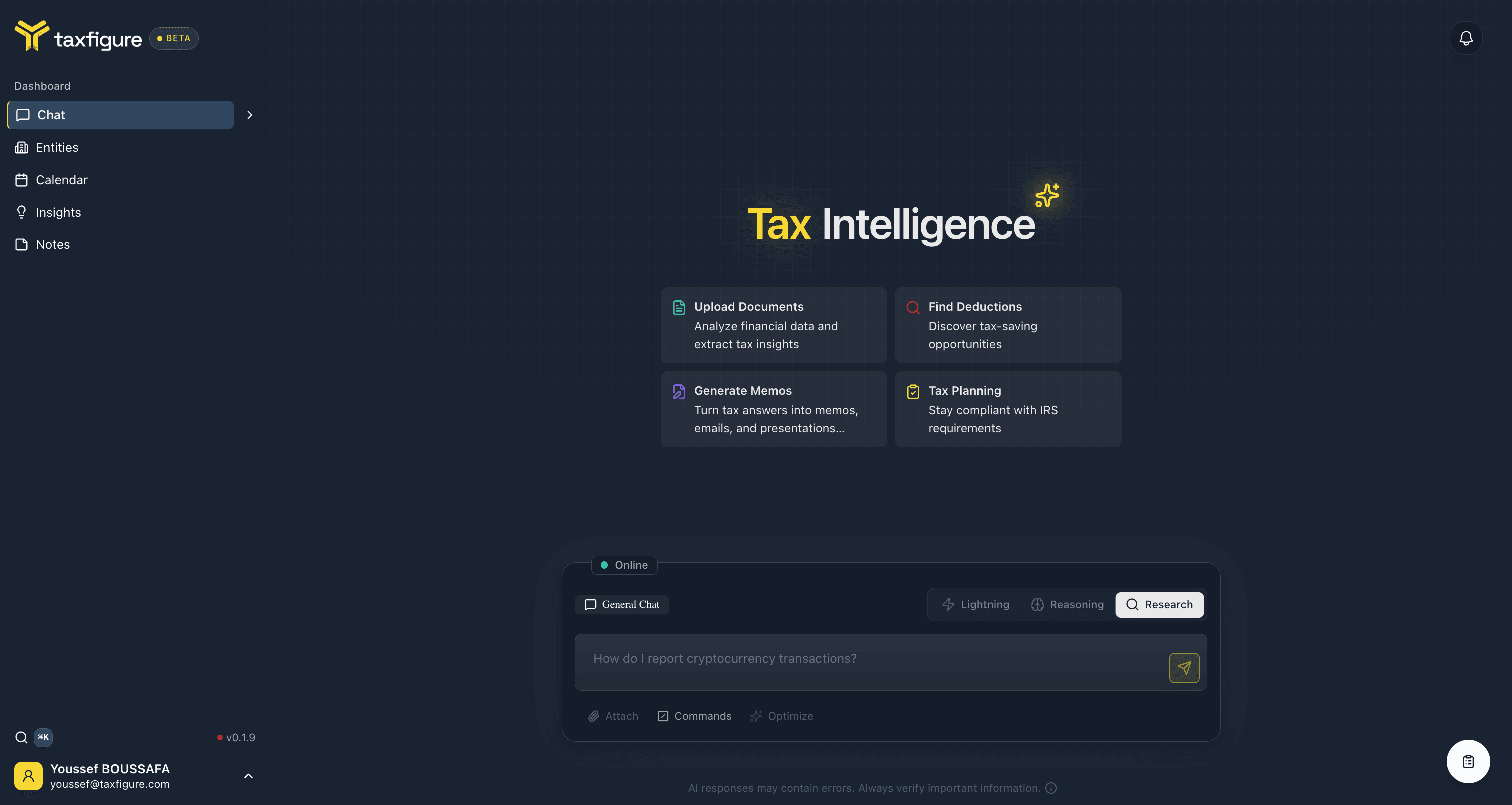
What you can ask
- Quick lookups — "What's the 2025 mileage rate?"
- Eligibility questions — "Can my client claim the home-office deduction for a rental property they manage?"
- Comparison and planning — "What are the trade-offs between an S-corp and an LLC for a single-member consulting practice in Texas?"
- Document-grounded questions — Upload a W-2 or 1099 and ask TaxFigure to summarize it or flag inconsistencies.
- Workflow questions — "Walk me through how to file Form 8606 for a client who did a Roth conversion."
Anatomy of a chat
Modes
Research mode today; Lightning and Reasoning coming soon.
Anatomy of a response
BLUF summary, inline citations, sources panel, and follow-ups.
Conversations & history
Resume past conversations and pin the ones you'll come back to.
Entity context
Scope the chat to a specific client so answers are entity-aware.
Slash commands
Trigger structured outputs like memos and citation lookups.
Attachments
Where document attachments live today, and what's coming.
Tips for good answers
- Be specific about the year. Tax law changes annually — say "for tax year 2024" when it matters.
- Tell us the entity. "An LLC taxed as a partnership" is more useful than just "the business."
- Include jurisdiction. State and local rules can flip an answer.
- Attach the document. If you're asking about a specific 1099 or K-1, upload it — answers are more accurate when TaxFigure can see the form.