
Entity context in chat
Scope a conversation to a specific client so answers use their data.
By default the chat is generic. Attach an entity to the conversation to scope answers to that client — TaxFigure uses their filing status, their jurisdiction, their attached documents, and any insights already generated.
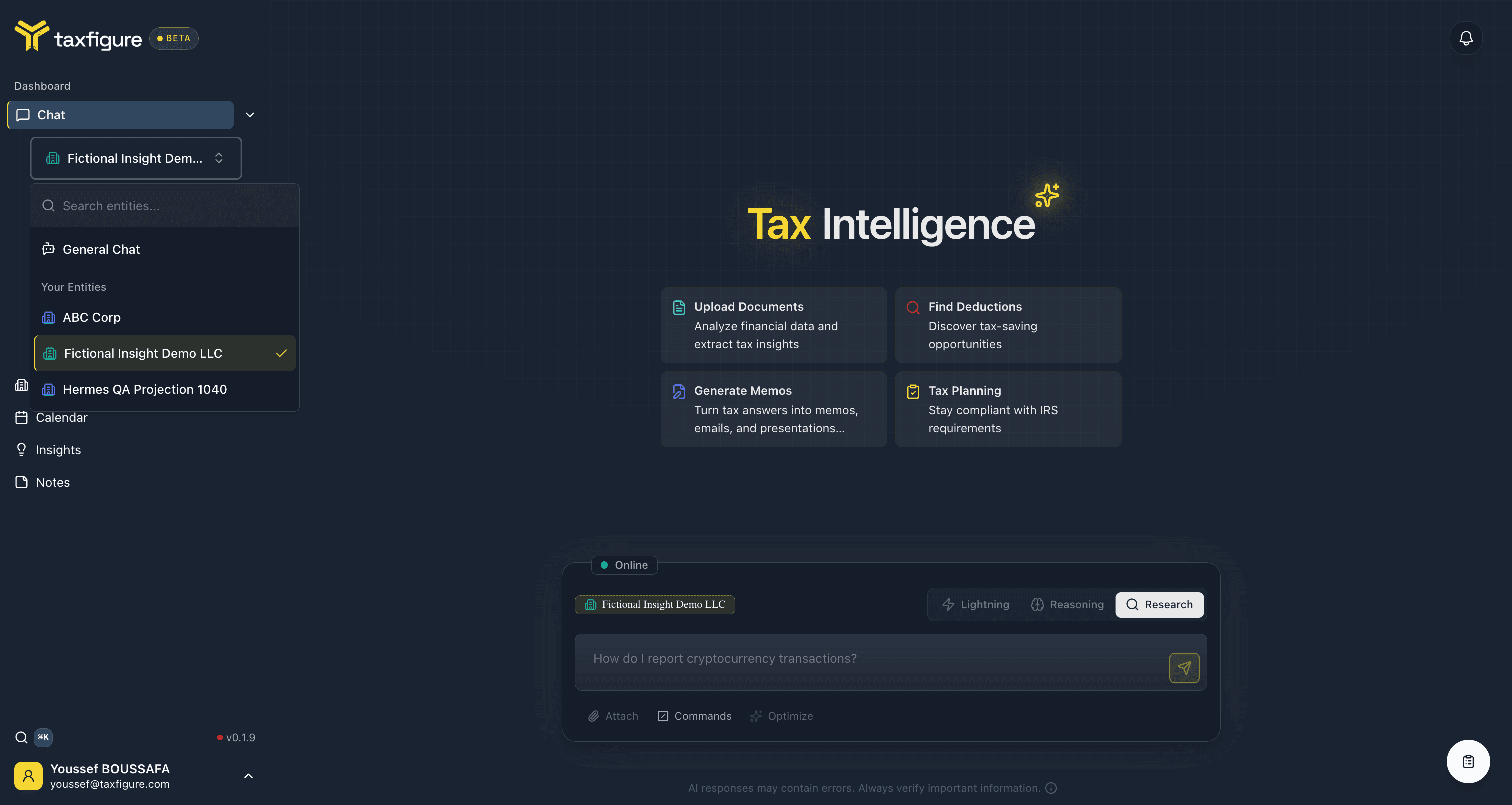
Attach an entity to a chat
- Open the chat history sidebar (the toggle next to "Chat" in the top nav).
- At the top of the sidebar, click the entity selector.
- Search or pick from the dropdown.
The selected entity name appears above the chat input. Any messages from this point use that context.
Switch or remove the entity
- Switch — open the entity selector again and pick a different one. Earlier messages keep their original context.
- Remove — pick No entity to return to a generic chat.
What the entity context unlocks
Once an entity is attached:
- Questions like "What's their filing deadline?" resolve correctly without you spelling out the entity type and state.
- Uploaded documents (see Documents) are referenced automatically when relevant.
- Insights generated from the chat are saved to the entity's Insights view.
Cross-entity questions
For questions that span multiple clients (e.g. "Which of my clients missed their estimated payment?"), don't attach a single entity. Use the Insights view instead — it aggregates across your portfolio.