
Slash commands
Trigger structured outputs like memos, emails, and citation lookups from the chat input.
Slash commands give you shortcuts to specific output formats — a formatted memo, a client email, a citation lookup, a deadline lookup. They are faster than describing the format in natural language.
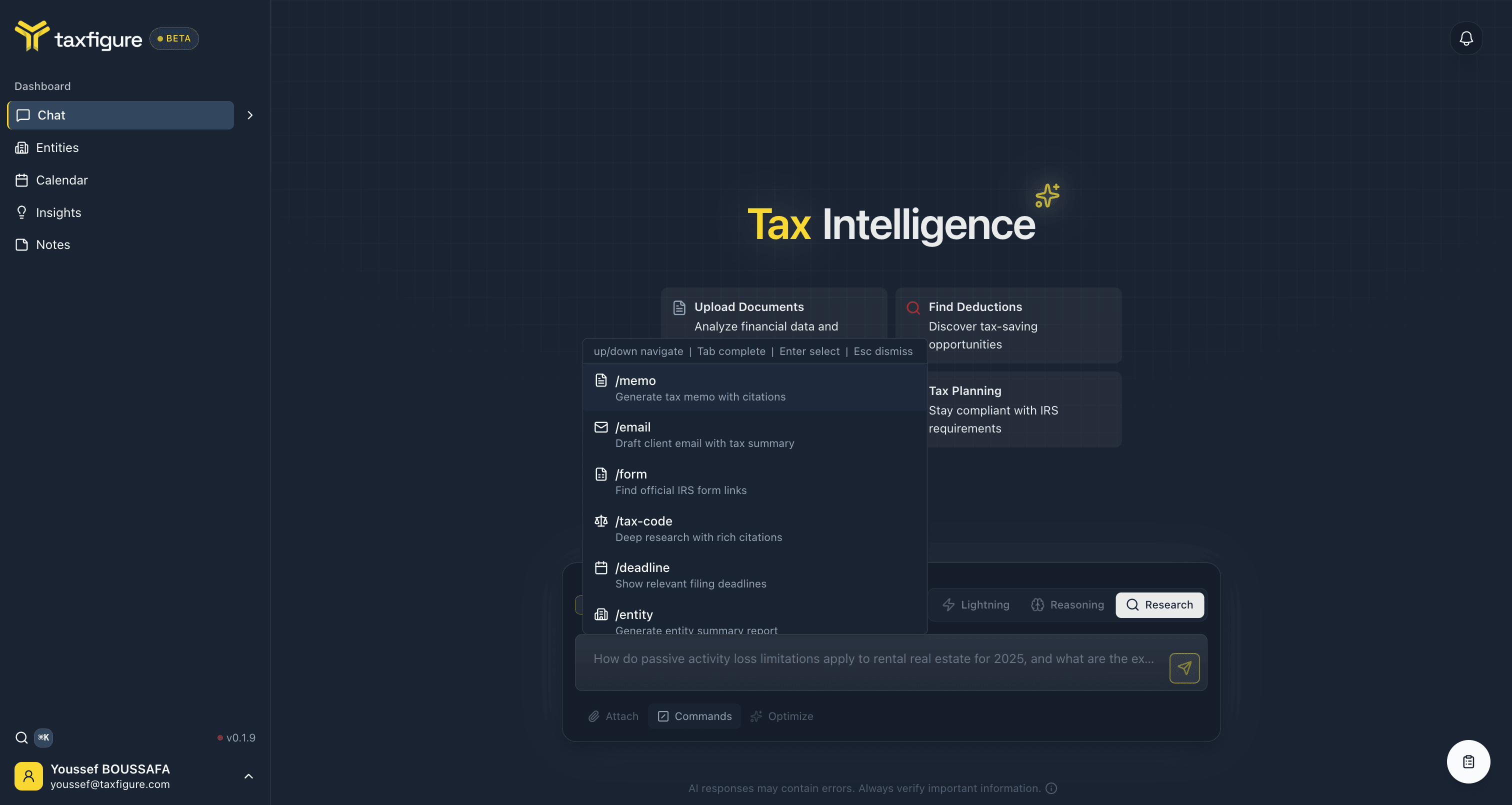
Open the commands menu
Two ways:
- Click Commands to the right of the chat input.
- Type
/at the start of a chat message.
Either opens the commands list. Navigate with the keyboard:
- ↑ / ↓ to move between commands.
- Tab to autocomplete.
- Enter to select.
- Esc to dismiss.
After picking a command, type the rest of your prompt and press Send. The result appears in the chat as a normal message — you can copy, export, or follow up on it like any other answer.
All commands
Commands are grouped into three categories.
Draft
Generate ready-to-send written artifacts from a tax question.
/memo— Generate a tax memo with citations. Use when you need a written-up answer you can save to the client file./email— Draft a client email with a tax summary. Use when you want to send the answer straight to the client./form— Find official IRS form links. Use to grab the right form PDF and instructions for a specific filing.
Research
Pull deep, citation-backed answers from current tax guidance.
/tax-code— Deep research with rich citations. Use for novel scenarios, audit defense, or anything you want to defend in writing./deadline— Show relevant filing deadlines. Use to confirm dates for a specific entity, jurisdiction, or filing.
Entity
Produce structured reports tied to a specific client.
/entity— Generate an entity summary report. Requires an active entity context — set one in the chat history sidebar first. See Entity context. The report summarizes documents, key facts, and outstanding items for the selected entity.
Filtering
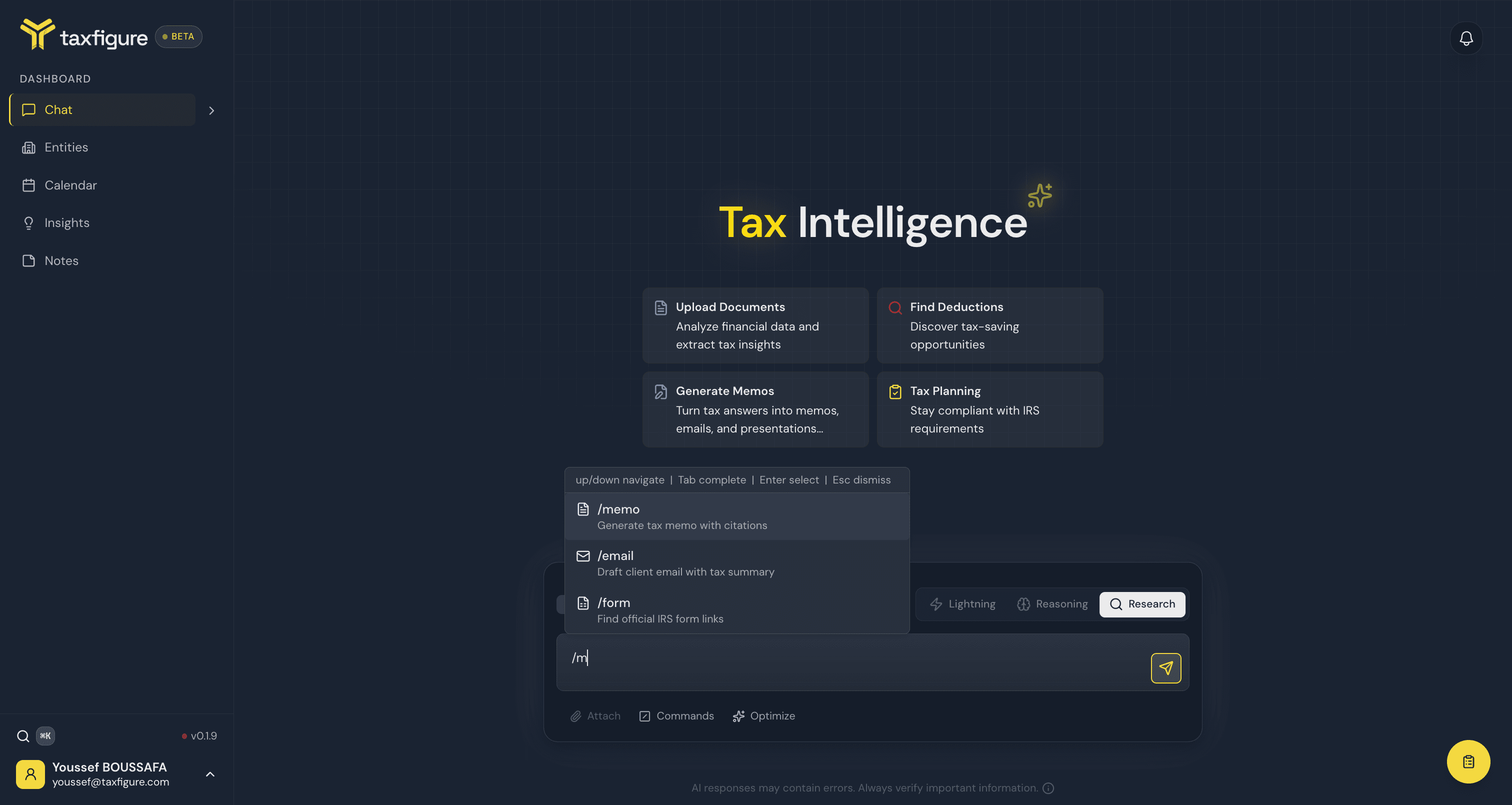
Once the commands menu is open, keep typing to filter. The menu matches
commands containing what you type — /m, for example, narrows the
list to /memo, /email, and /form:
Why not just ask in plain English?
You can — TaxFigure understands "draft a memo about §179" or "show me estimated payment deadlines." Slash commands are a deterministic shortcut: same format, same citations style, same structure every time. Use them when consistency matters (e.g. across a workpaper file).