
Entities
Manage your client entities with dedicated context for AI tax intelligence.
An entity in TaxFigure is anything you file a return for: an individual, an LLC, an S-corp, a partnership, a trust. Each entity has its own workspace — its documents, its insights, its team members, and its own chat context.
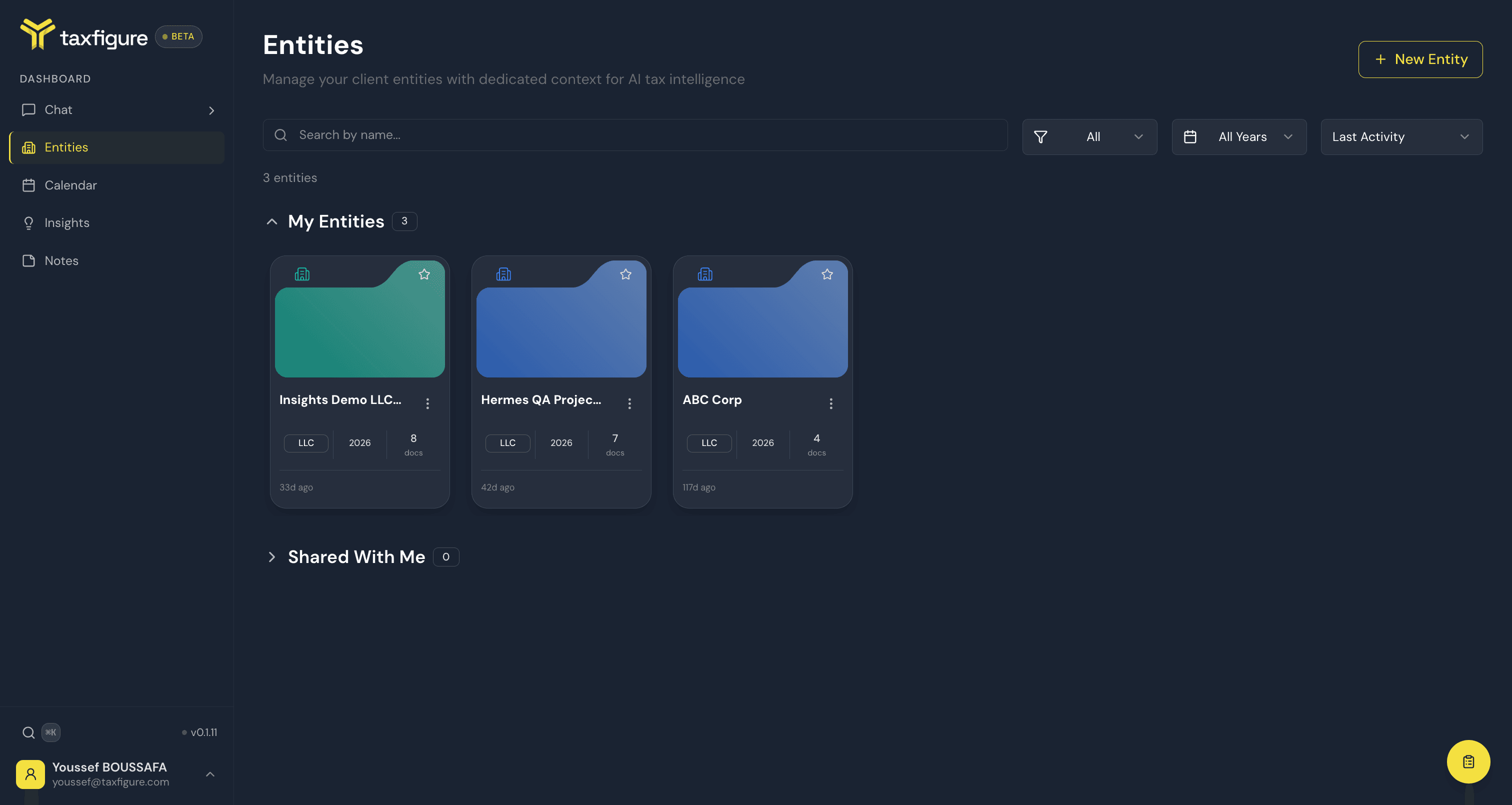
The Entities page
The Entities page (top nav → Entities) is your portfolio view. It shows:
- Pending Invitations — entities another teammate has shared with you that are waiting for you to accept or decline.
- My Entities — entities you own.
- Shared With Me — entities other teammates have given you access to.
For each entity you can see name, entity type, tax year, and the last activity. You can favorite an entity (star icon) to pin it to the top of the list. Shared entity cards also show your access level, such as Editor or Viewer.
Pending invitation cards include Accept and Decline actions. Once you accept, the entity moves into Shared With Me.
Filters and search
- Search by name — free-text search.
- Type filter — narrow by entity type (Individual, LLC, S-corp, etc.).
- Tax year filter — pick a specific year.
- Sort — last activity, name, or creation date.