
Chat modes
How Research mode works today, plus what's coming next.
TaxFigure's chat has a mode selector that switches how questions are answered. Today, only Research mode is enabled — Lightning and Reasoning are coming soon.
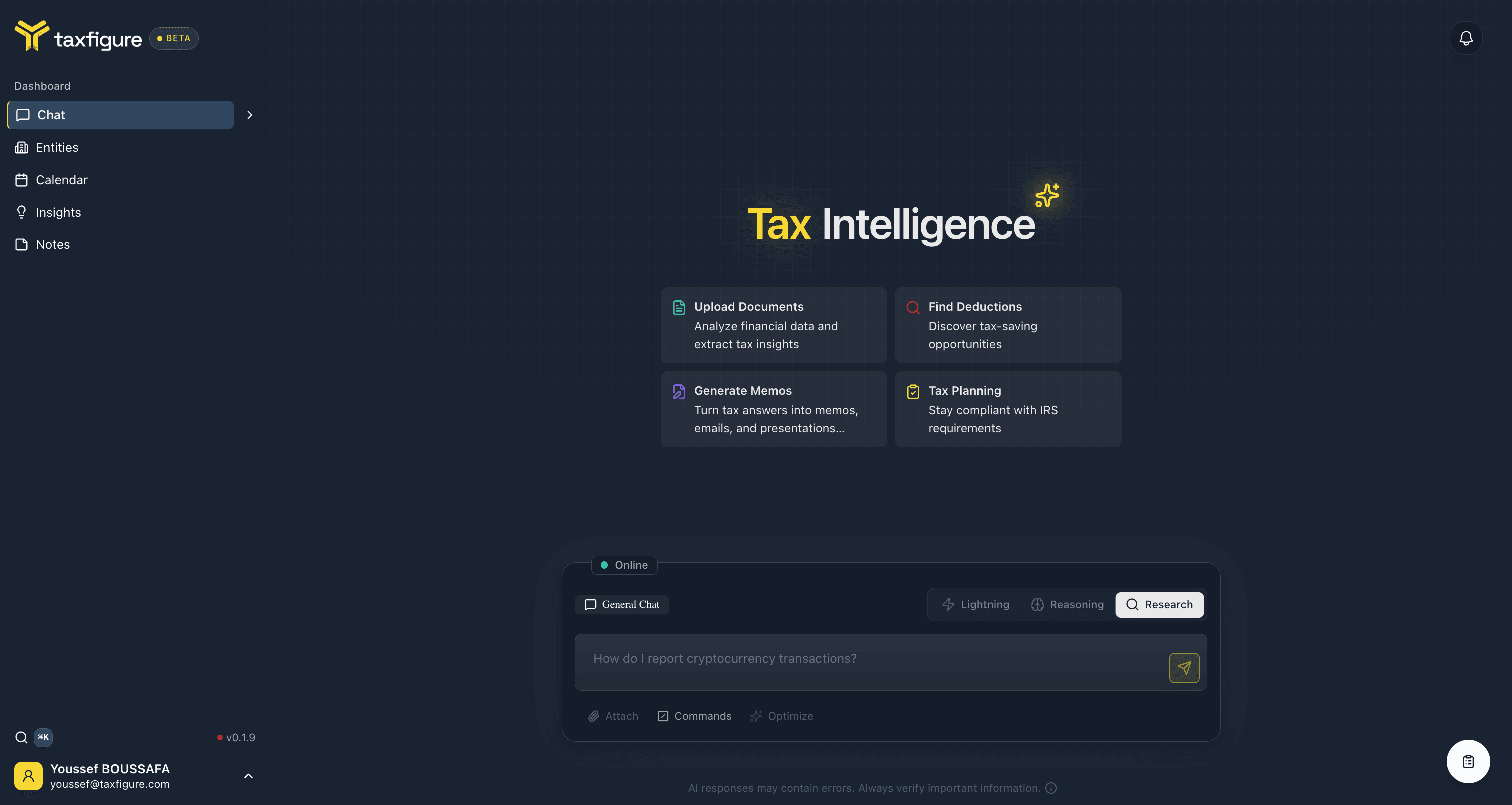
Research (available now)
- What it does — pulls from current tax guidance, runs comprehensive web searches, and synthesizes a long-form answer with citations.
- Best for novel scenarios, multi-source questions, audit defense, and any answer you want to defend in writing.
- Speed can take a minute or two; the chat shows a status indicator while it works.
When Research mode is active, you'll see the status banner: "Research mode activated. Comprehensive answers with web search."
Lightning (coming soon)
A fast mode for quick lookups: definitions, mileage rates, filing deadlines, short follow-ups. Optimized for sub-second answers rather than depth.
Reasoning (coming soon)
A balanced mode for questions where you want TaxFigure to weigh trade-offs — entity selection, deduction eligibility, treatment decisions — without the full web-search overhead of Research.
Switching modes
The mode tabs sit just above the chat input. Disabled modes are greyed out — once enabled, you'll be able to switch at any point in a conversation; earlier messages keep their original mode.