
Roles & permissions
What each role can and can't do in TaxFigure.
Every member of a firm has a role. The role determines what they can see and do across the workspace. You pick the role when you invite a user, and administrators can change it later from Settings → Team Management.
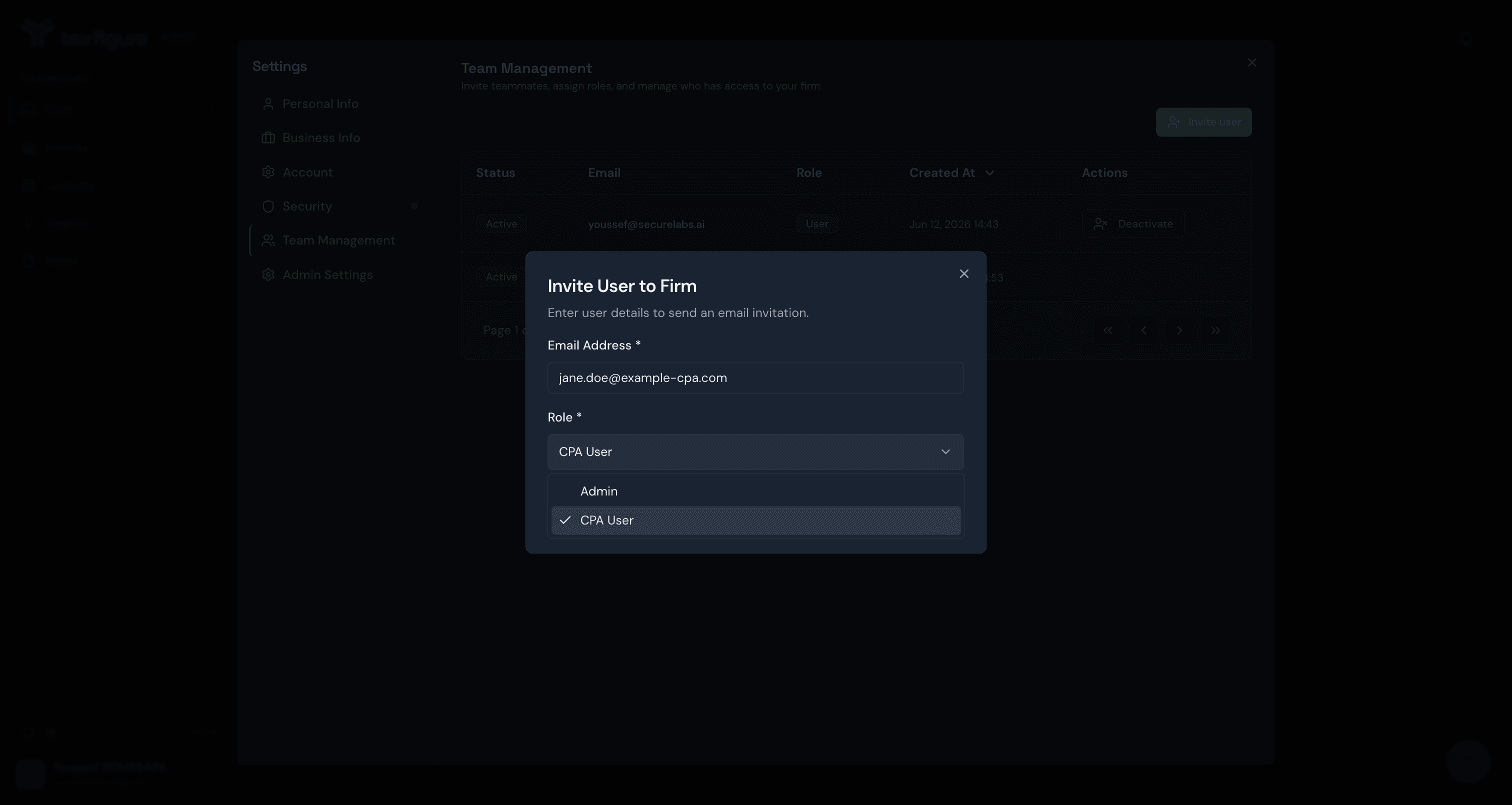
Firm roles
Admin
Full control of the firm. Admins can:
- Invite new users, resend invitations, and activate/deactivate members.
- Manage other users' roles.
- Edit firm-level settings in Admin Settings (AI behavior, tax practice parameters, compliance).
- See and edit any entity in the firm.
CPA User
The default role for most users. CPA users can:
- See and edit entities shared with them.
- Run AI chat features for those entities.
- Create their own entities.
CPA users cannot invite new members, change other users' roles, or edit firm-level settings — the Team Management and Admin Settings sections don't appear in their Settings.
Entity-level roles
In addition to firm-wide roles, each entity has its own per-user access level — the entity creator is the Owner, and teammates added to the entity join as Editors. See Share entities with teammates.
Changing a role
Open Settings → Team Management and manage the user's role from their row in the Team Members table. Changes take effect immediately.