
Firm settings
Configure AI behavior, tax practice parameters, and compliance policies for your firm.
Firm settings are the policies that apply to every member of your firm. Only administrators can change them; everyone else sees the result in their AI responses and the way the workspace behaves.
Where to find it
Open Settings → Admin Settings (avatar menu, bottom-left — visible only if you're an administrator). The Firm Settings Management panel is grouped into three sections.
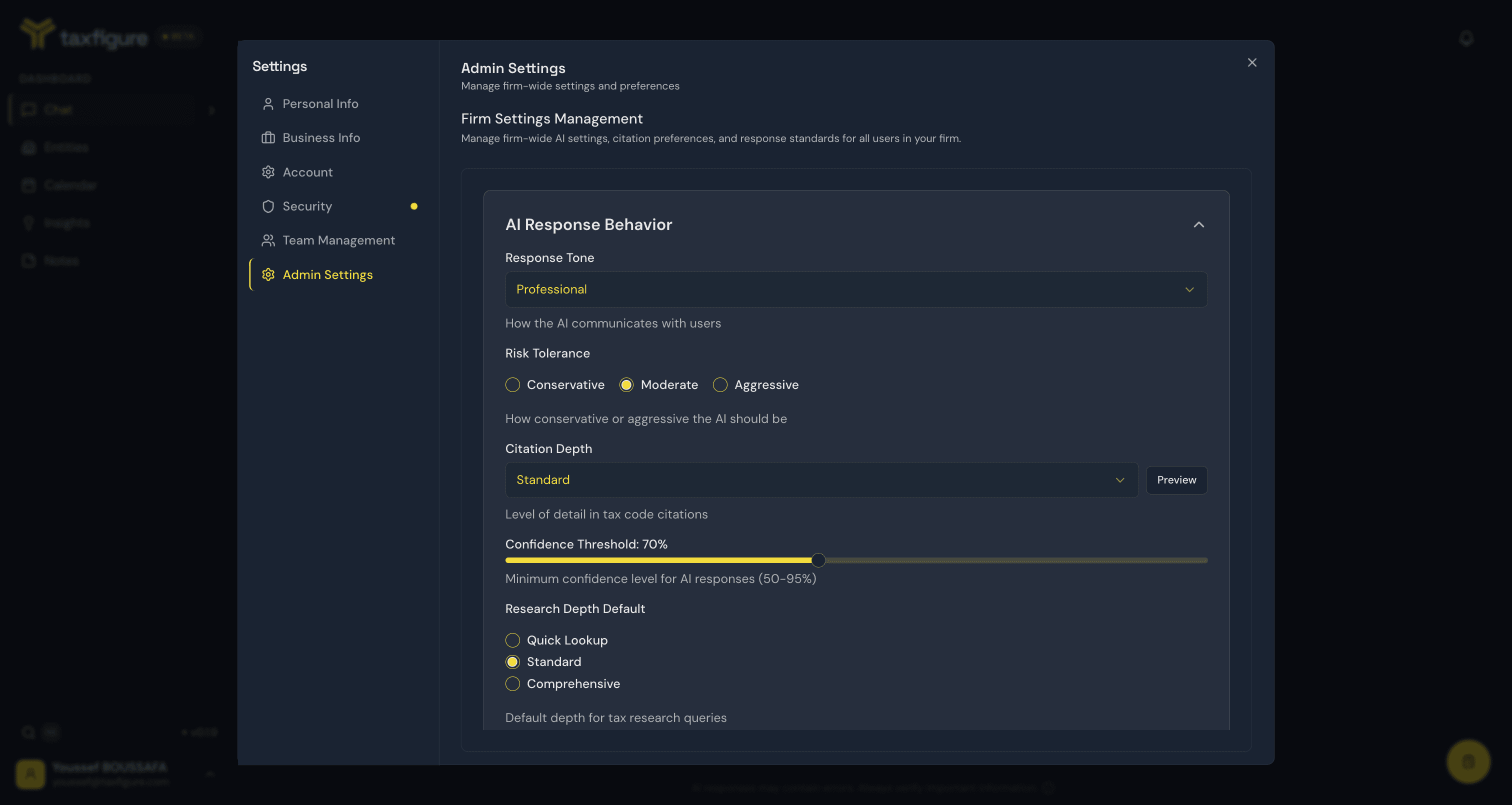
AI Response Behavior
- Response tone — e.g. professional. Affects the voice TaxFigure uses in chat answers.
- Risk tolerance — conservative, moderate, or aggressive. Influences which deductions TaxFigure recommends and how it frames uncertainty.
- Citation depth — level of detail in tax code citations (use Preview to see an example).
- Confidence threshold — the minimum confidence level for AI responses (50–95%).
- Research depth default — quick lookup, standard, or comprehensive.
Tax Practice Parameters
- Primary jurisdiction — the tax jurisdictions your firm works in (e.g. Federal plus specific states).
- Tax year default — the default tax year for new queries.
- Industry specializations — industries the firm specializes in; used to weight research toward your practice areas.
- Citation style — how citations are displayed in responses (e.g. inline citations).
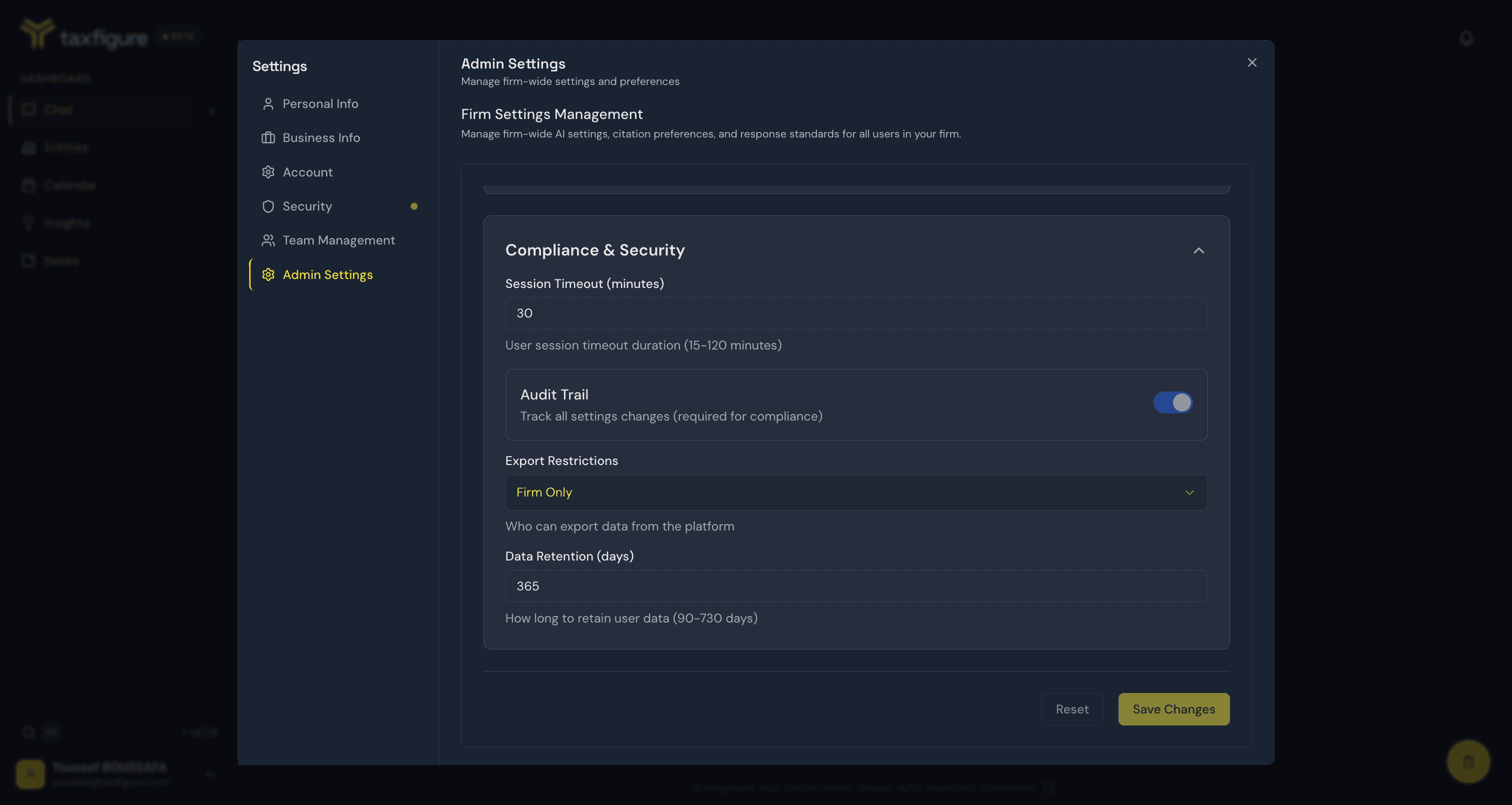
Compliance & Security
- Session timeout — how long a user can be idle before being signed out (15–120 minutes).
- Audit trail — tracks all settings changes. This is required for compliance and stays enabled.
- Export restrictions — who can export data from the platform.
- Data retention — how long user data is retained (90–730 days).
Apply changes
Click Save Changes at the bottom of the panel (or Reset to discard your edits). Most changes take effect immediately; a few (like session timeout) apply on each member's next sign-in.
Every change to firm settings is recorded in the audit trail along with the admin who made it and the timestamp.