
Finishing & exporting
Consolidate flags in Stage 04, review the completion summary, and export to CSV or PDF.
The final stage pulls everything you flagged into one place, adds client recommendations, and produces the deliverables. Once you complete it, the review is done and ready to export.
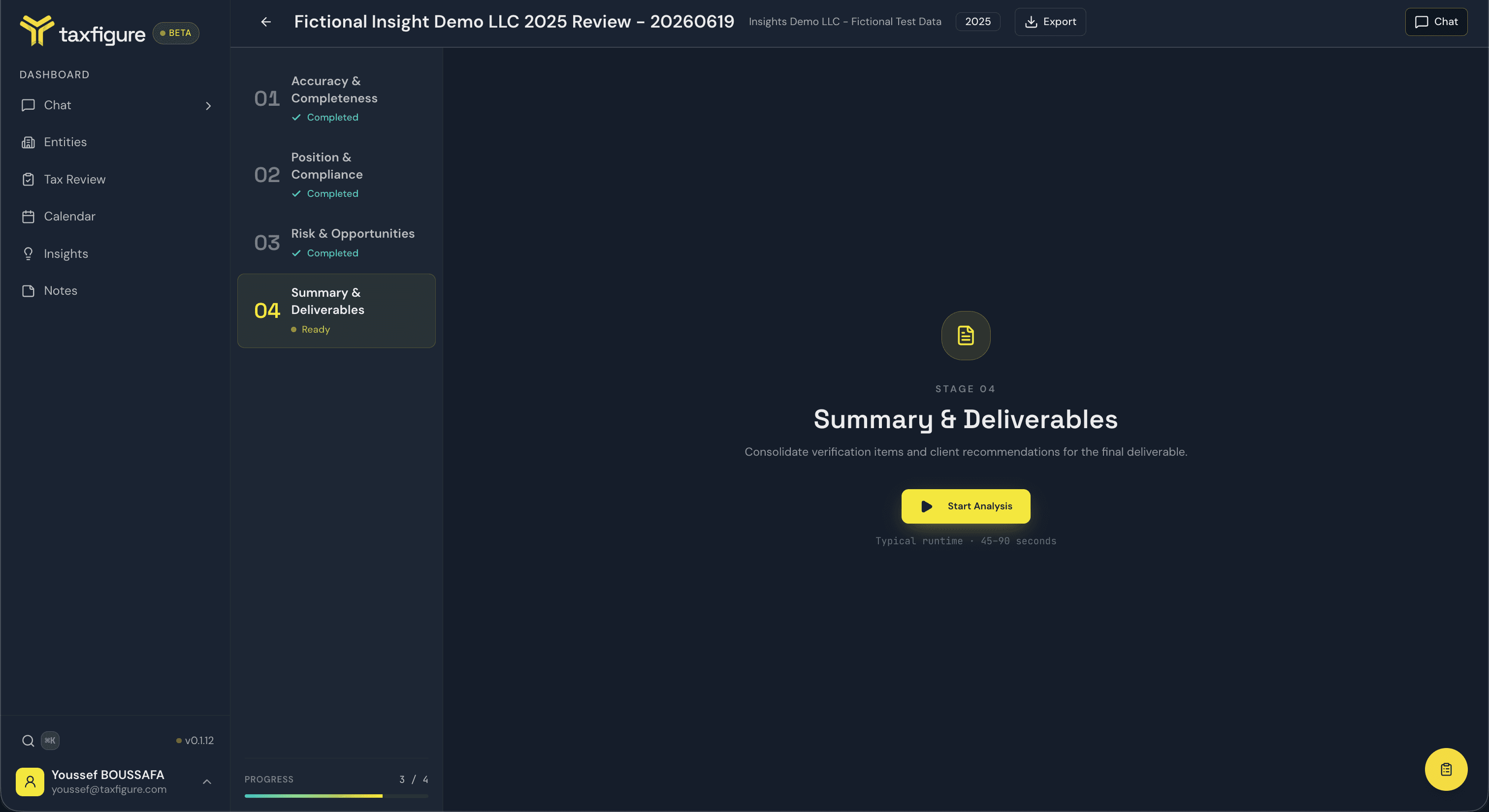
Stage 04 · Summary & Deliverables
With Stages 01–03 complete, the final stage unlocks. Click Start Analysis to consolidate your flags and generate the deliverables.
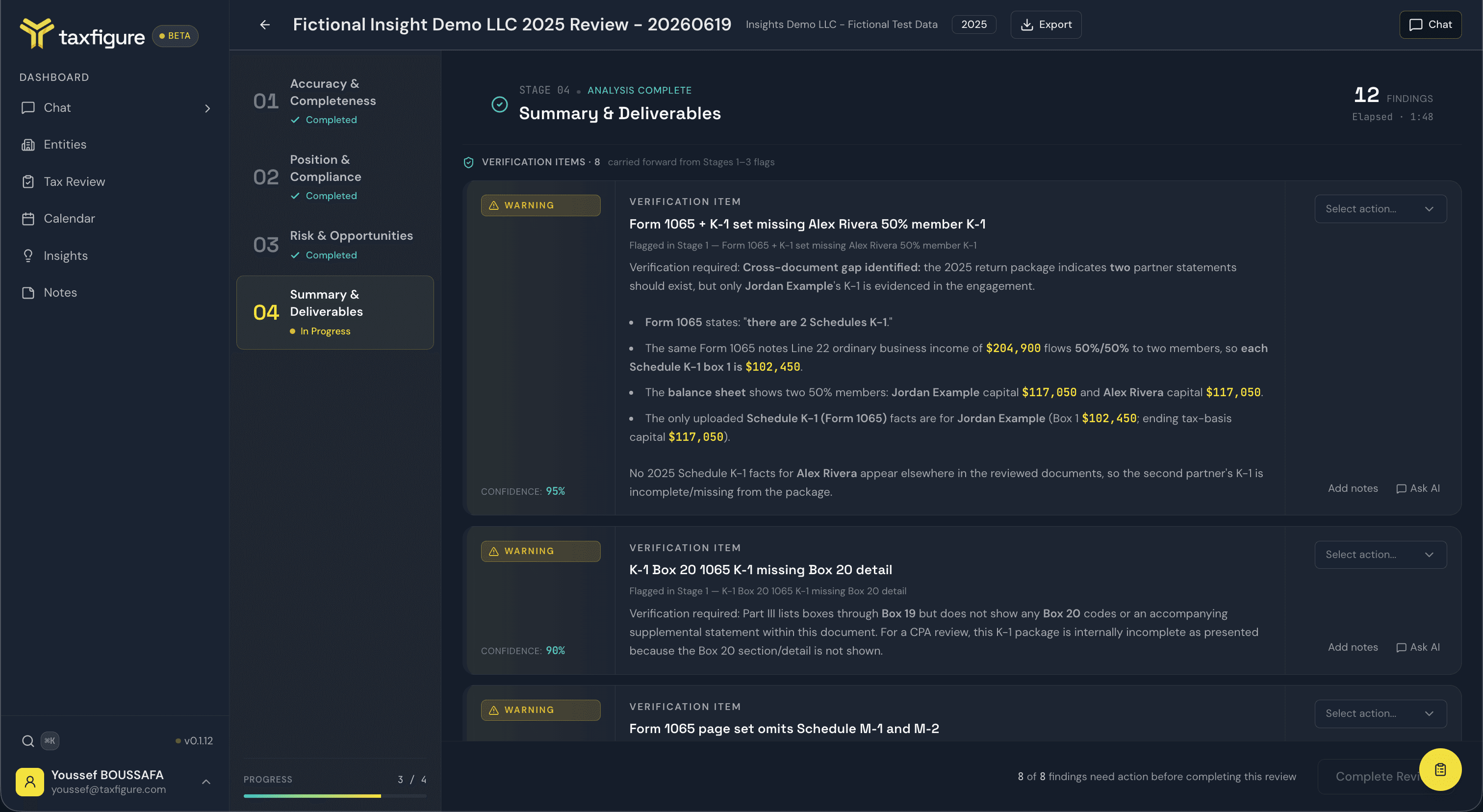
Stage 04 has two sections.
Verification items — every finding you flagged in Stages 01–03, carried forward here for a final check. Each item links back to the stage and finding it came from. Action each one:
- Verify — you've confirmed the item; it's resolved.
- Flag — it still needs attention.
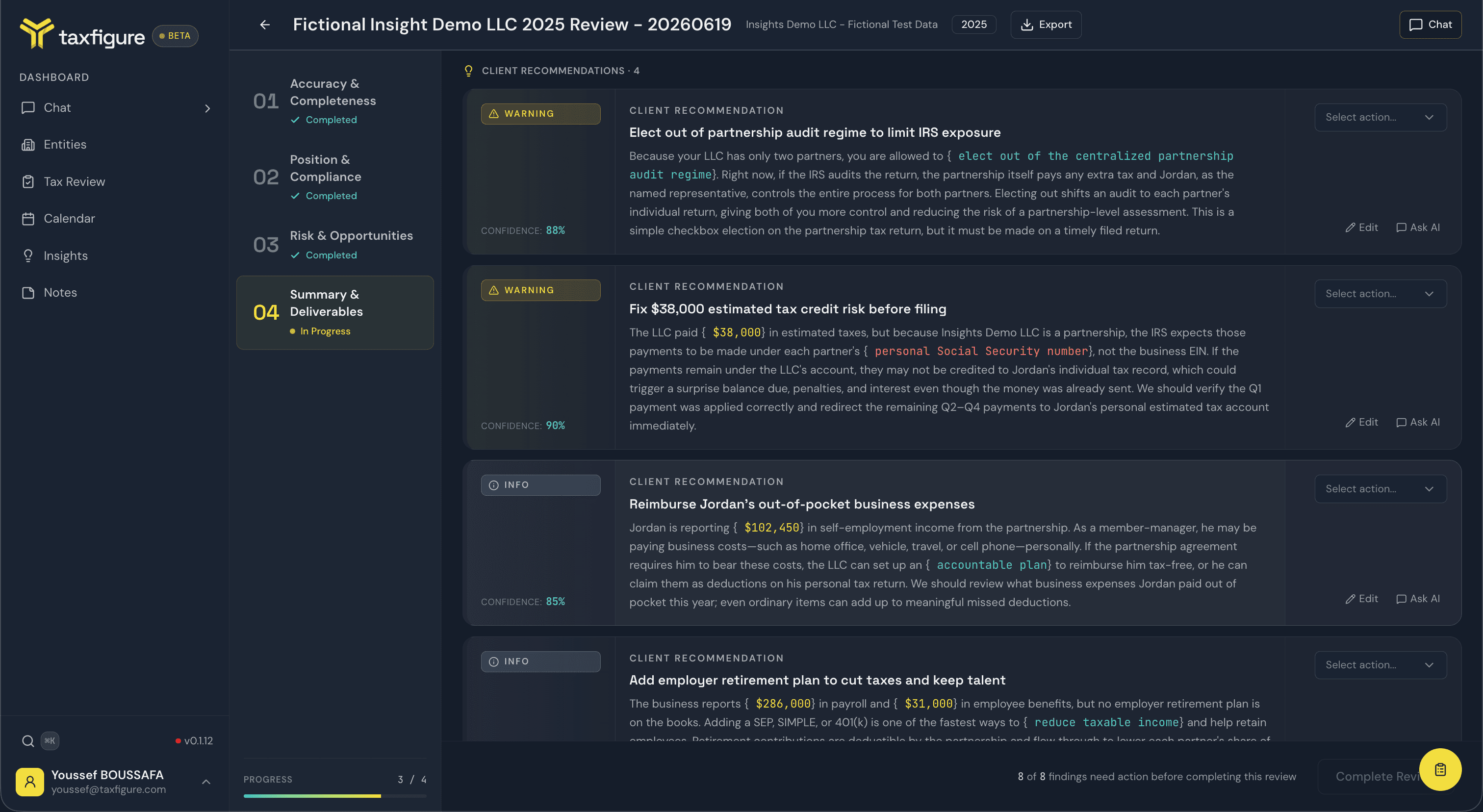
Client recommendations — advisory items the AI drafts for the client. Action each one:
- Clear — keep the recommendation as-is.
- Remove — drop it from the deliverable.
You can also edit a recommendation's wording inline before you keep it — the edited text is what appears in the client-facing export.
When every item is actioned, the footer enables Complete Review.
The completion summary
Completing the review marks it Closed and shows a summary of the whole engagement.
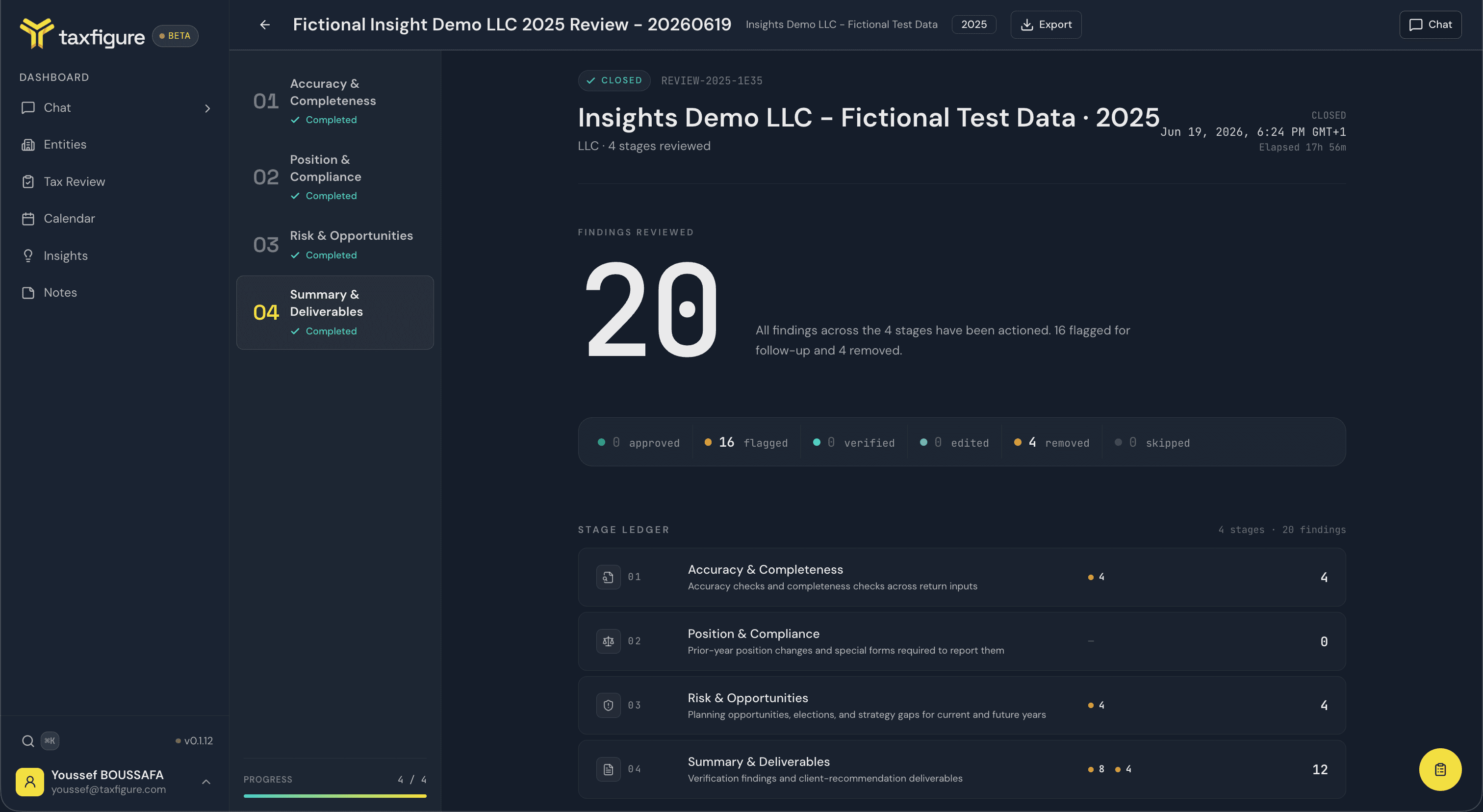
- Findings reviewed — the total across all four stages.
- Breakdown — counts by action: approved, flagged, verified, edited, removed, and skipped.
- Stage ledger — a per-stage tally of findings, so you can see where the work concentrated.
- A closed timestamp and the elapsed time from start to finish.
Completed reviews live under the Completed tab on the reviews list and stay fully readable — you can reopen any stage to see what was found and how it was actioned.
Export
Click Export in the review header at any point to open the export dialog and pick a format.
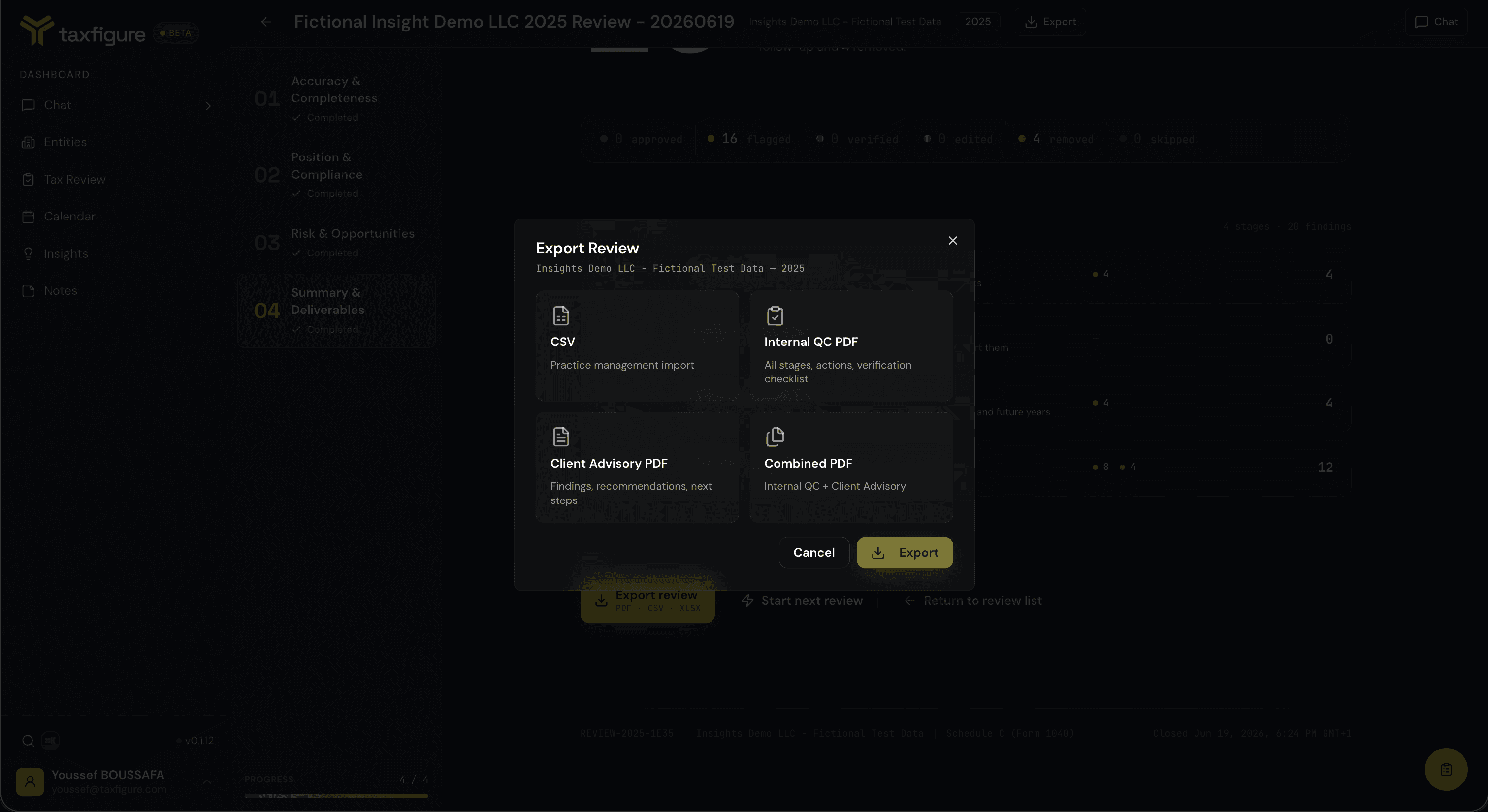
- CSV — Practice management import. The findings and actions as rows, for pulling into your practice-management system.
- Internal QC PDF — All stages, actions, verification checklist. The full internal record of the review.
- Client Advisory PDF — Findings, recommendations, next steps. A client-facing summary built from the recommendations you kept.
- Combined PDF — Internal QC + Client Advisory. Both documents in one file.
Pick a format and TaxFigure generates the file for download.
Where to go from here
- Tax Review overview — the reviews list and creating a new review.
- Working with findings — how flags are set in the earlier stages.