
Tax Review
A guided, four-stage AI review of an entity's return — accuracy, positions, risk, and client deliverables.
Tax Review runs a structured, four-stage analysis of an entity's return for a given tax year. Each stage surfaces findings you can clear, flag, or note — and the flags you raise carry forward into a final set of verification items and client recommendations you can export.
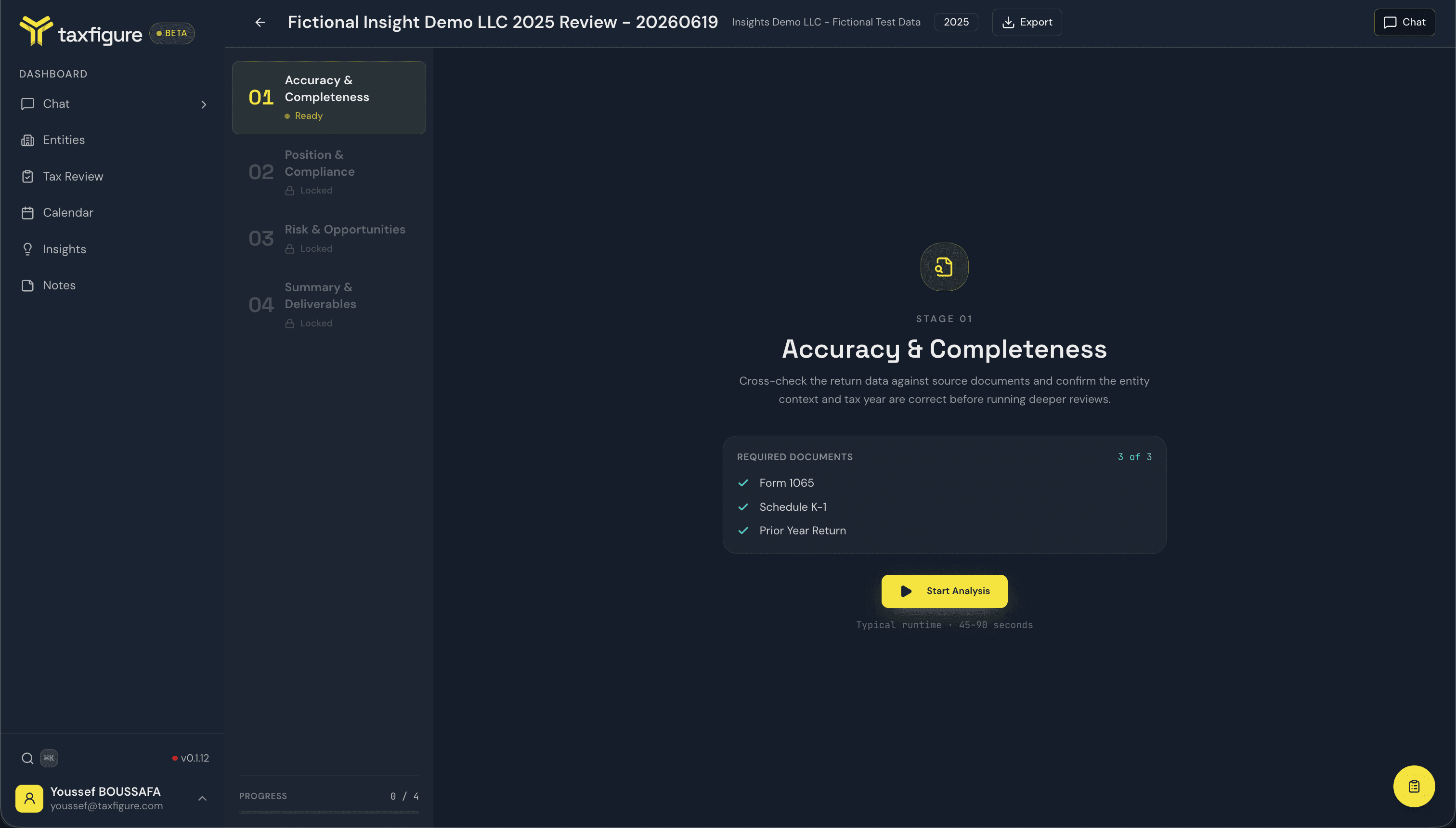
It's the CPA-facing counterpart to Insights: where Insights describes what's in the documents, a Tax Review walks you through reviewing the return itself — one stage at a time, with a human sign-off on every finding.
Open Tax Review
- Sidebar → Tax Review — opens the reviews list at app.taxfigure.com/tax-review.
Each review belongs to one entity and one tax year. You can run as many reviews as you need across your entities.
The four stages
A review moves through four stages in order. You unlock the next stage by completing the current one.
| # | Stage | What it covers |
|---|---|---|
| 01 | Accuracy & Completeness | Cross-checks the return data against source documents and confirms the entity context and tax year before deeper review. |
| 02 | Position & Compliance | Compares current-year positions against prior years and surfaces the special forms needed to report any changes. |
| 03 | Risk & Opportunities | Surfaces planning opportunities and strategy gaps — deductions, elections, and missed one-offs for this year and next. |
| 04 | Summary & Deliverables | Consolidates everything you flagged into verification items, and drafts client recommendations for the final deliverable. |
Each stage runs its own AI analysis on demand (typically 45–90 seconds) and returns a list of findings for you to review. See Running a review for the stage-by-stage flow.
The reviews list
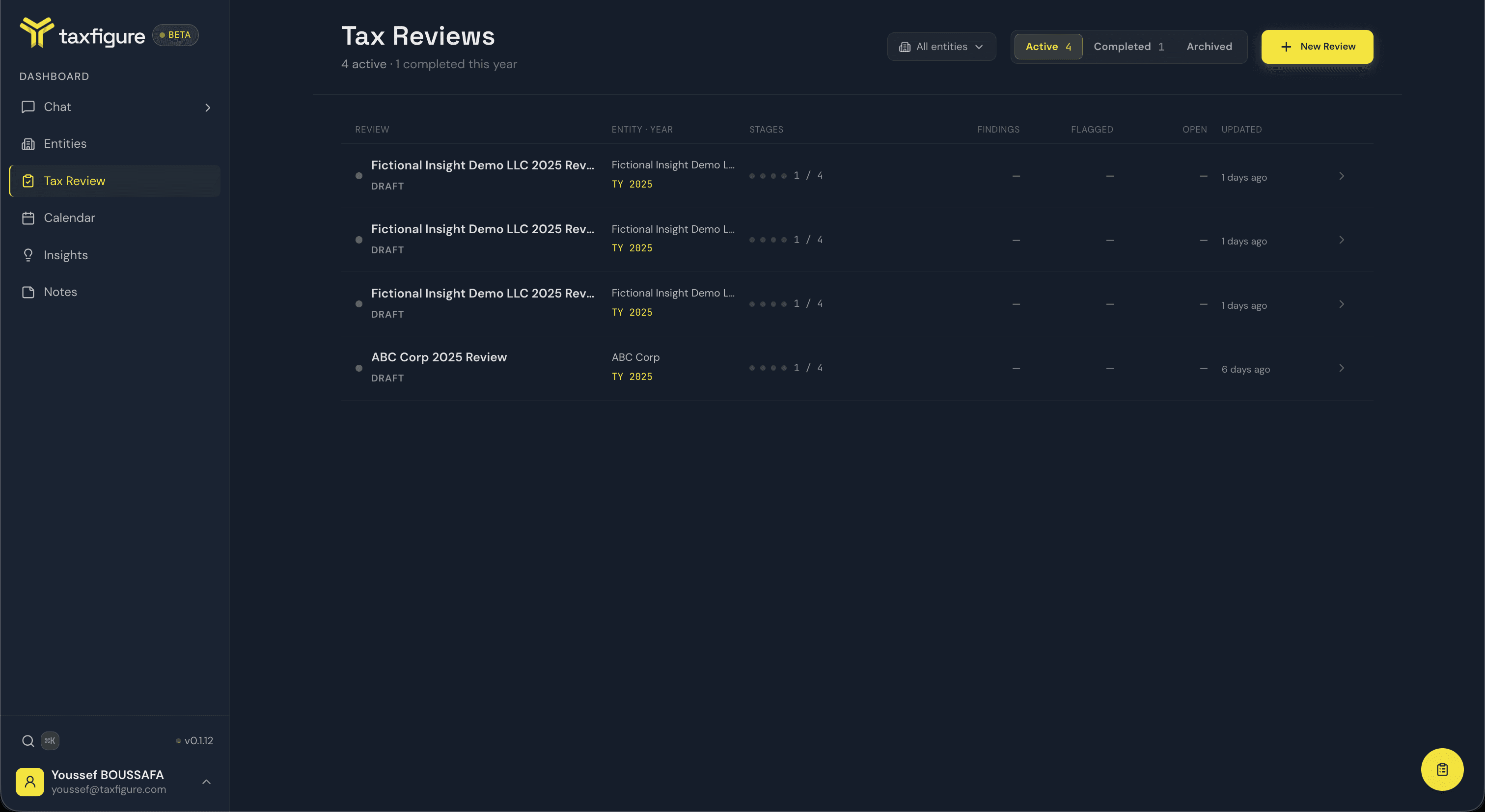
The Tax Review page lists every review, grouped into three tabs:
- Active — drafts and in-progress reviews. The top of this tab shows a Pick up where you left off card with a Resume button for your most recent in-progress review.
- Completed — finished reviews, ready to export or revisit.
- Archived — reviews you've set aside.
Each row shows the review title and status (e.g. In Progress · Stage 02), the entity and tax year, a four-dot stage-progress indicator, and three counts:
- Findings — total findings surfaced across completed stages.
- Flagged — findings you've flagged for follow-up.
- Open — findings still waiting on an action.
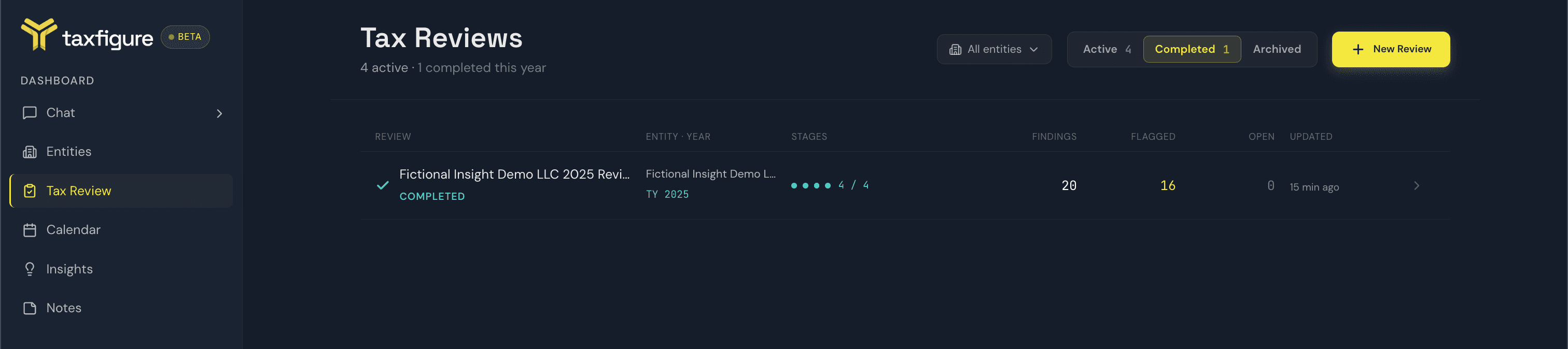
Use the All entities dropdown at the top to filter the list to a single entity.
Create a review
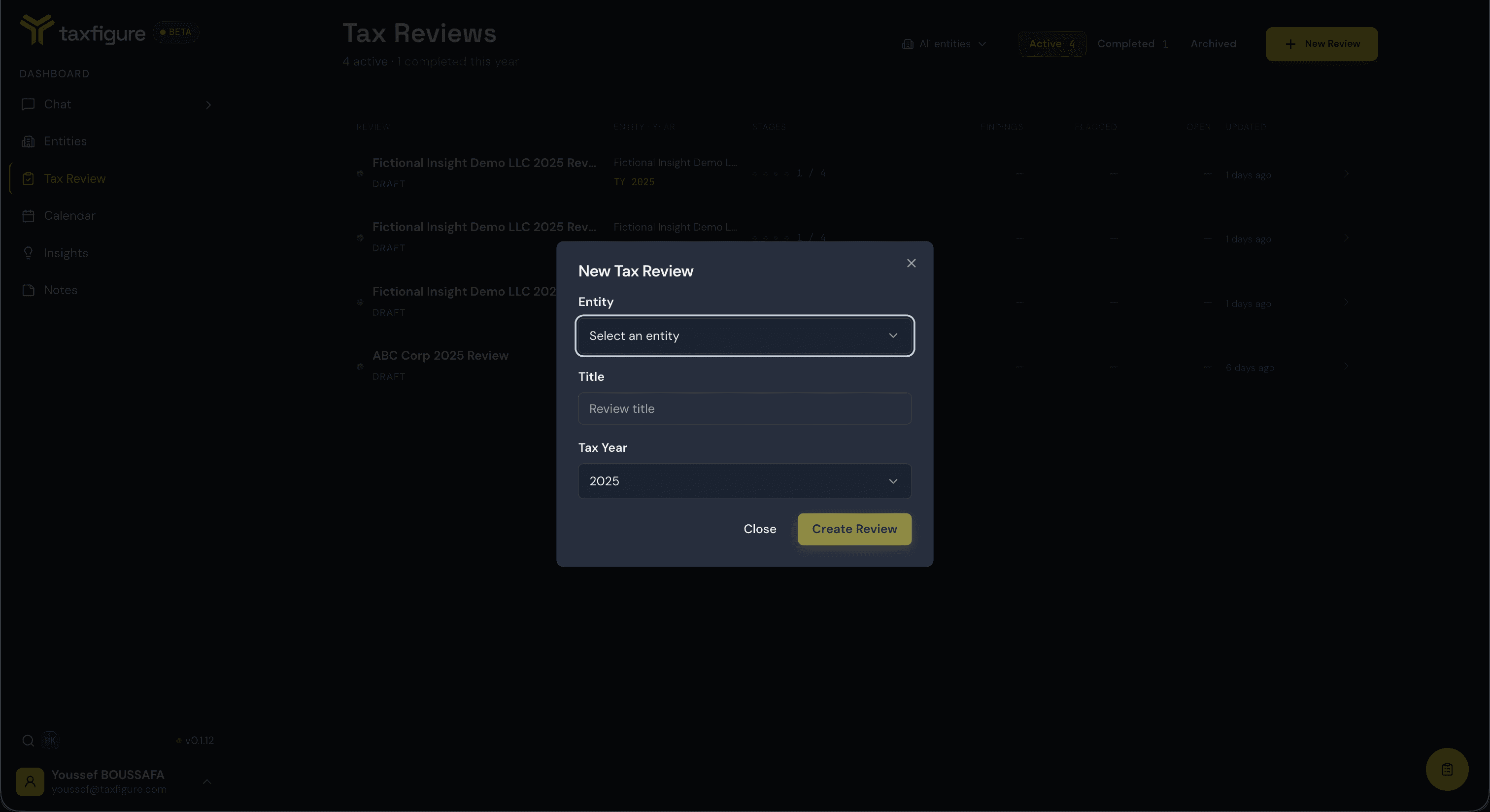
Click New Review and fill in the New Tax Review dialog:
- Entity — the client this review is for.
- Title — defaults to
{Entity} {Year} Review(e.g. "Acme Holdings LLC 2025 Review"); edit it if you like. - Tax Year — defaults to the prior calendar year; pick from the last six years.
Click Create Review to open the workspace and start Stage 01.
Where to go from here
- Running a review — the readiness gate, starting an analysis, and completing each stage.
- Working with findings — severity, confidence, the Clear / Flag / Skip actions, notes, Dig Deeper, and the stage chat.
- Finishing & exporting — Stage 04, the completion summary, and the CSV and PDF exports.